Blog categories and tags
Categories and tags organize your blog posts so readers can browse related content. Each post belongs to one category and can carry several tags. Open them from Online store > Blog > Categories and Tags in the sidebar, or with Blog categories and Manage tags at the top of the Blog page.
Categories and tags appear in the sidebar once your blog is activated. They follow the same plan and permission as the blog.
Blog categories
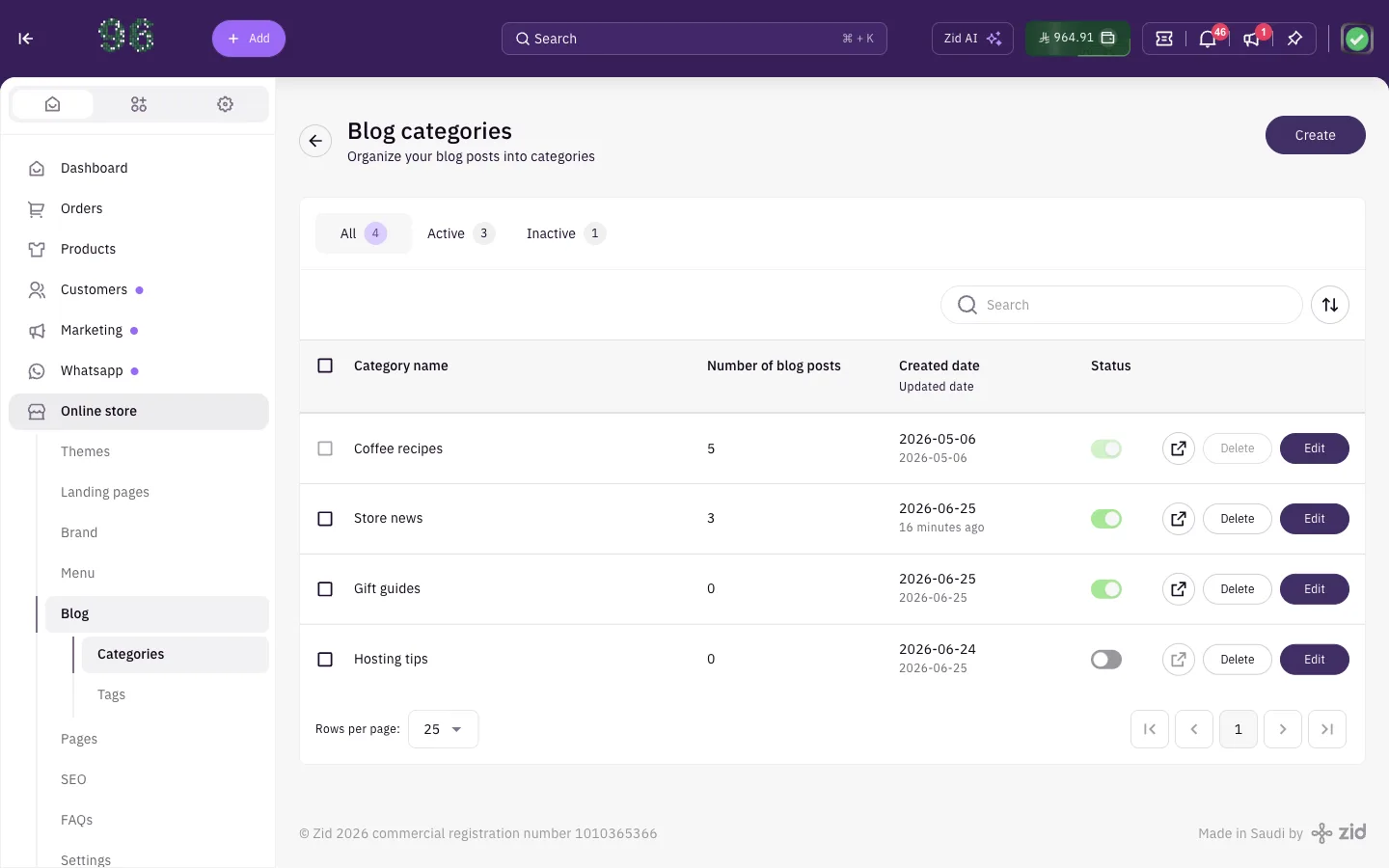
The Blog categories list shows your categories, 25 per page by default.
| Tab | Categories it shows |
|---|---|
| All | Every category. |
| Active | Categories displayed on your blog. |
| Inactive | Categories hidden from your blog. |
| Column | What it shows |
|---|---|
| Category name | The category's name. |
| Number of blog posts | How many posts are in the category. |
| Created date / Updated date | When the category was created and last changed. |
| Status | A switch that displays the category on the blog or hides it. |
Each row also has View in storefront (for active categories), Delete and Edit. Use the search box to find a category, and sort the list by Created date.
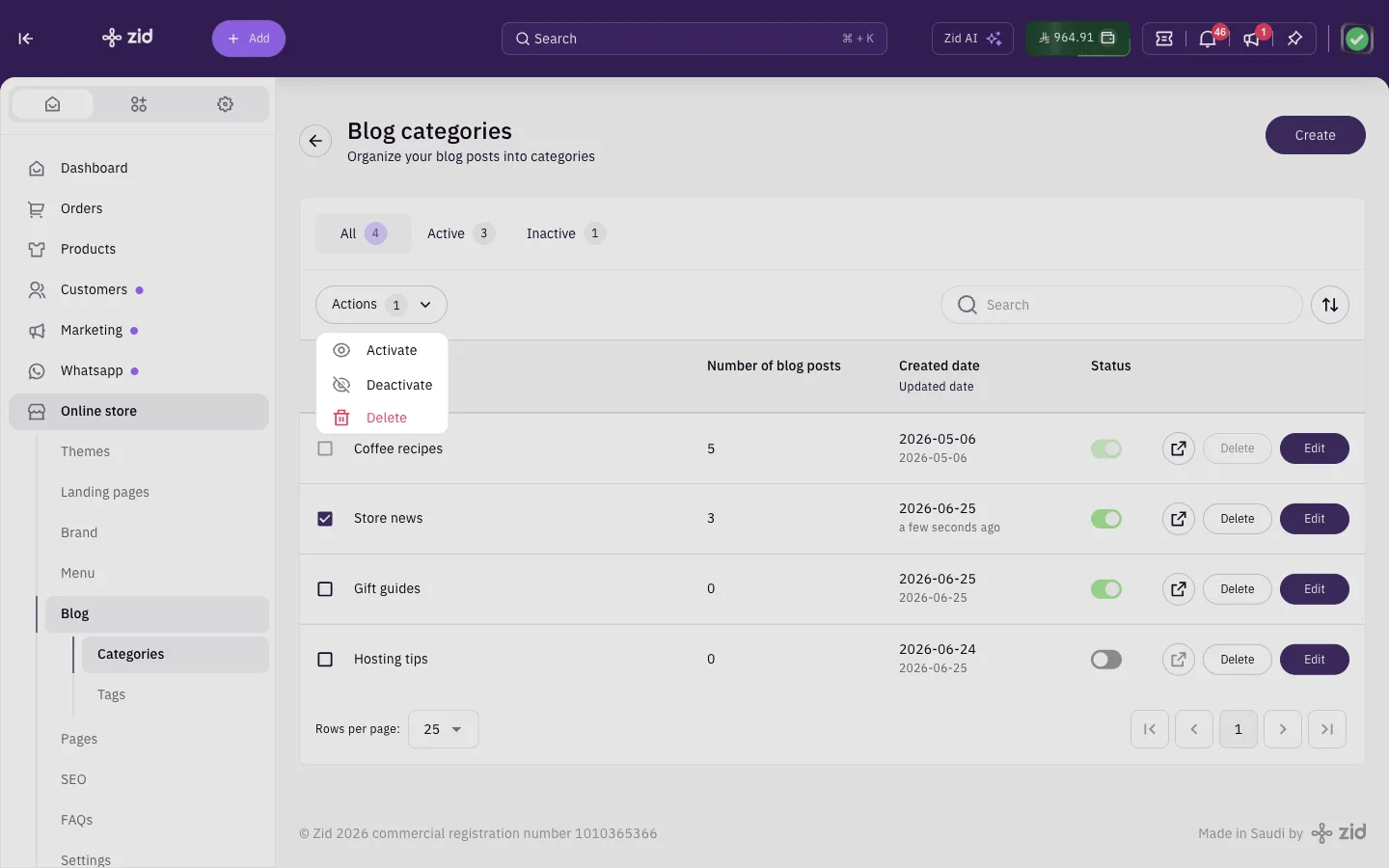
To change several categories at once, select them and choose Activate, Deactivate or Delete, then confirm.
Your blog has a default category that can't be deactivated or deleted.
Create a category
Select Create on Blog categories.
Fill in the fields:
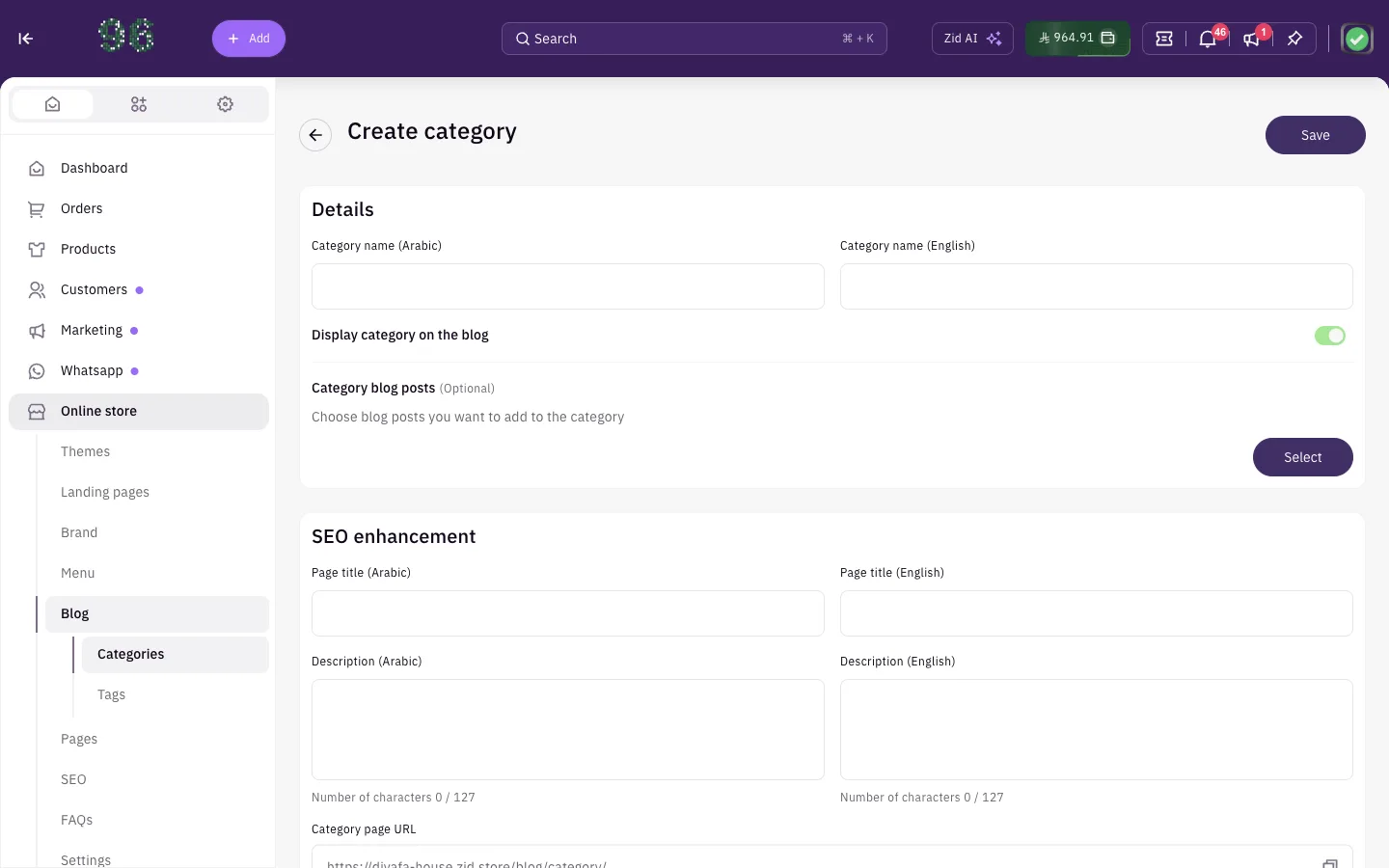
Sample data from a demo store. Further down, the category's search engine fields:
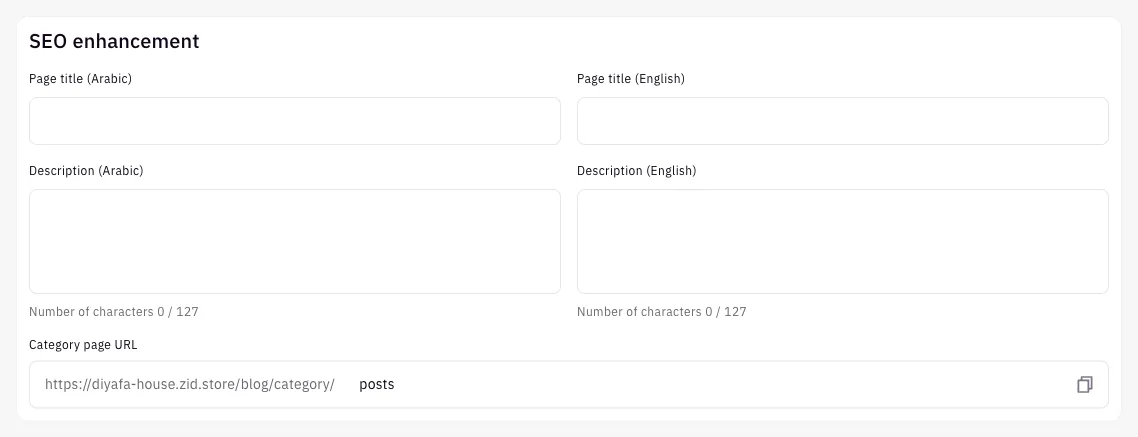
Sample data from a demo store. Field Rules Category name Arabic is required, English is optional. Display category on the blog On shows the category on your blog. It's on by default. Category blog posts Optional. Select Select to add existing posts to the category. Page title Optional. The title search engines show for the category page, in Arabic and English. Description Optional. Up to 127 characters per language. Category page URL The end of the category page's address, after your store address and /blog/category/.Select Save.
To change a category later, select Edit on its row. You can also create a category while writing a post, with Add new category.
Blog tags
The Blog tags list shows your tags with Tag name, Used in blog posts and Created date / Updated date, and Delete and Edit on each row. Search for a tag by name, and sort by Created date, Name or Used in blog posts. To delete several tags at once, select them and choose Delete.
Create a tag
Select Create on Blog tags.
Enter the Tag name. Arabic is required, English is optional.
Optionally, enter a Slug: the tag's identifier in links. If you leave it empty, it's generated from the name. It must be unique in your store.
Optionally, add existing posts under Tag blog posts with Select.
Select Save.
You can also create a tag while writing a post, with Add new tag.
Deleting a category or tag can't be undone.
Related
Still need help?
Our customer service team is ready to help, or find quick answers in the FAQ.