Log in to Safeer Zid
Log in
Go to the Safeer Zid portal.
Enter your email, account ID or national ID, then your password.
Click Login.
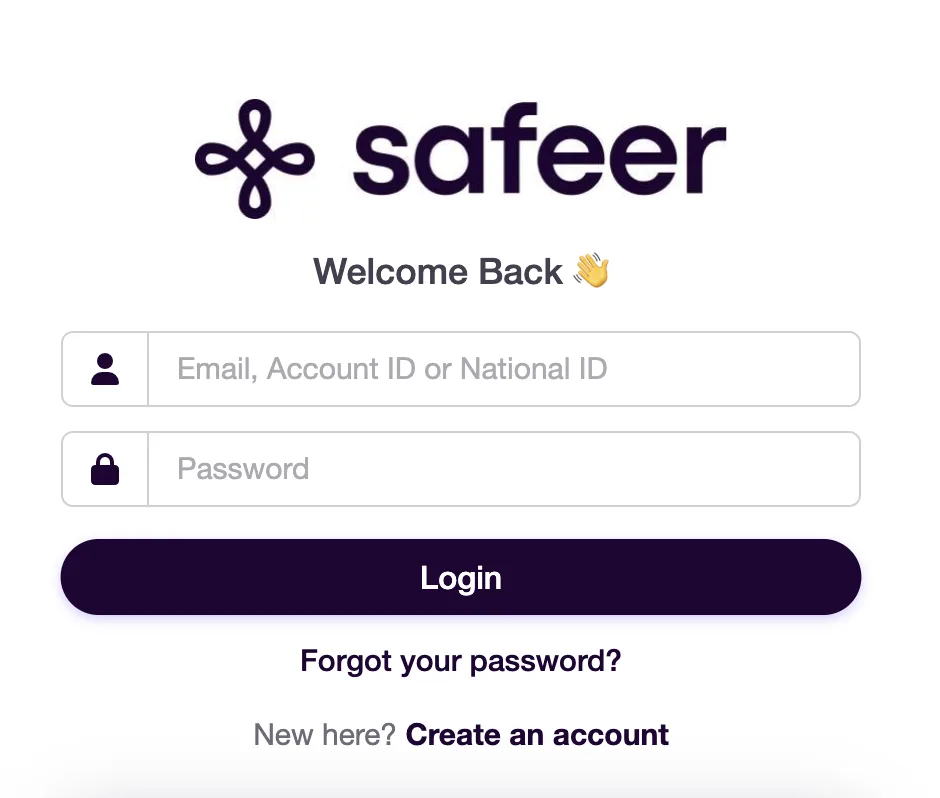
Personal details are covered.
New to Safeer? Click Create an account on the same page.
Reset your password
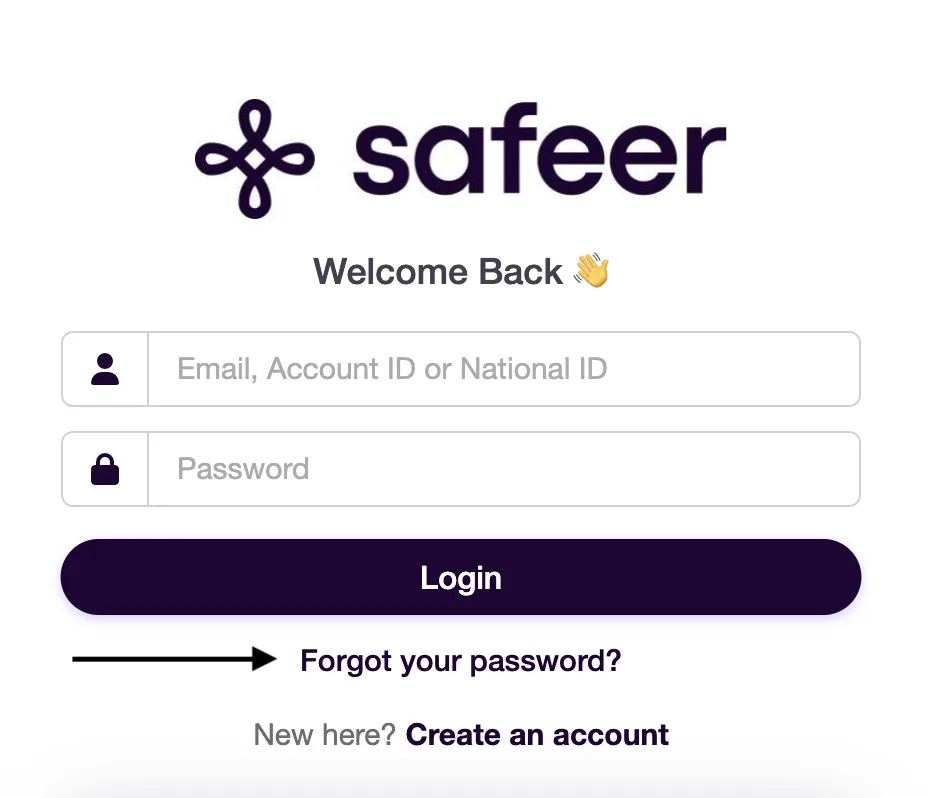
On the login page, click Forgot your password?
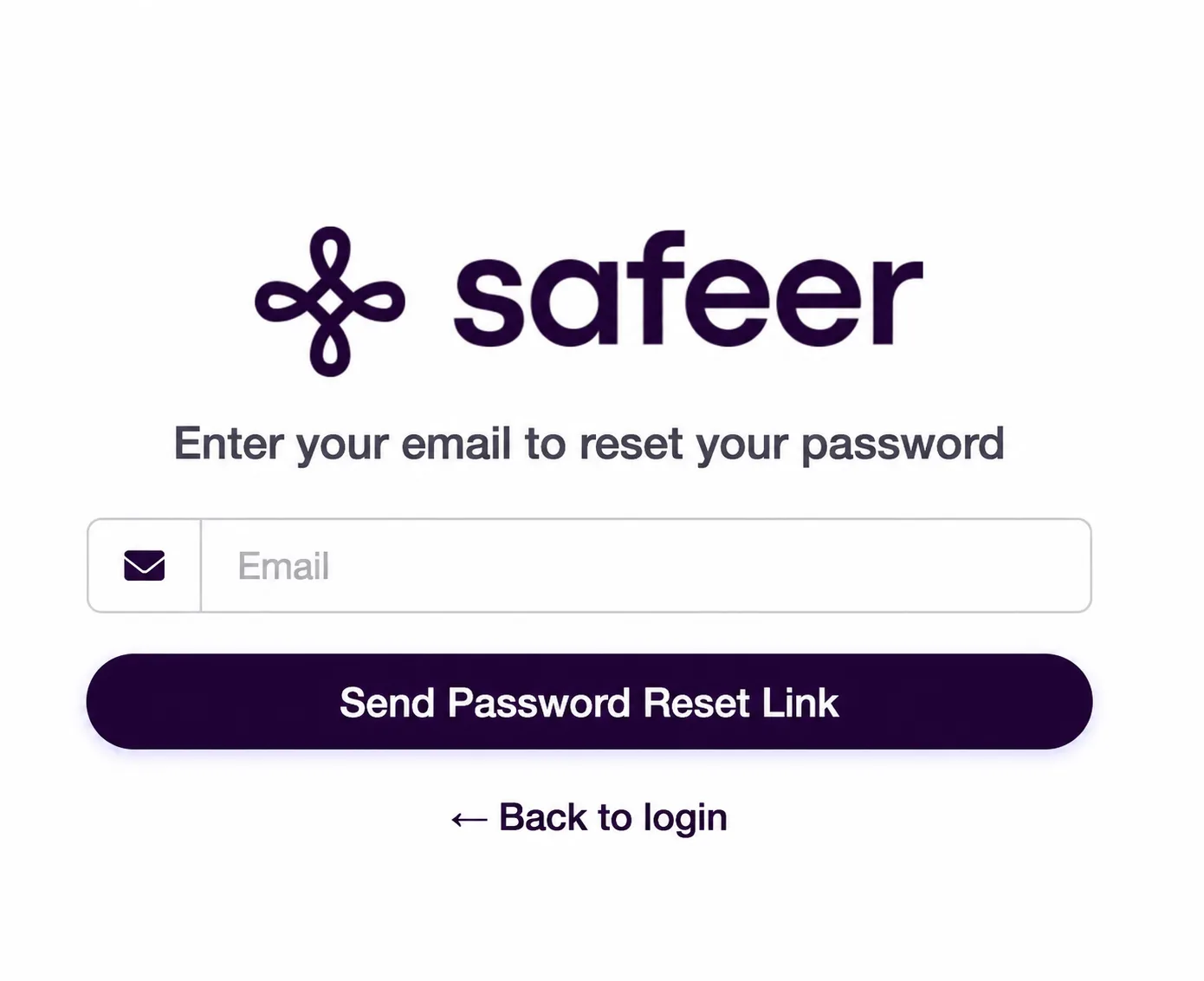
Personal details are covered. Enter the email registered to your account, then click Send Password Reset Link.
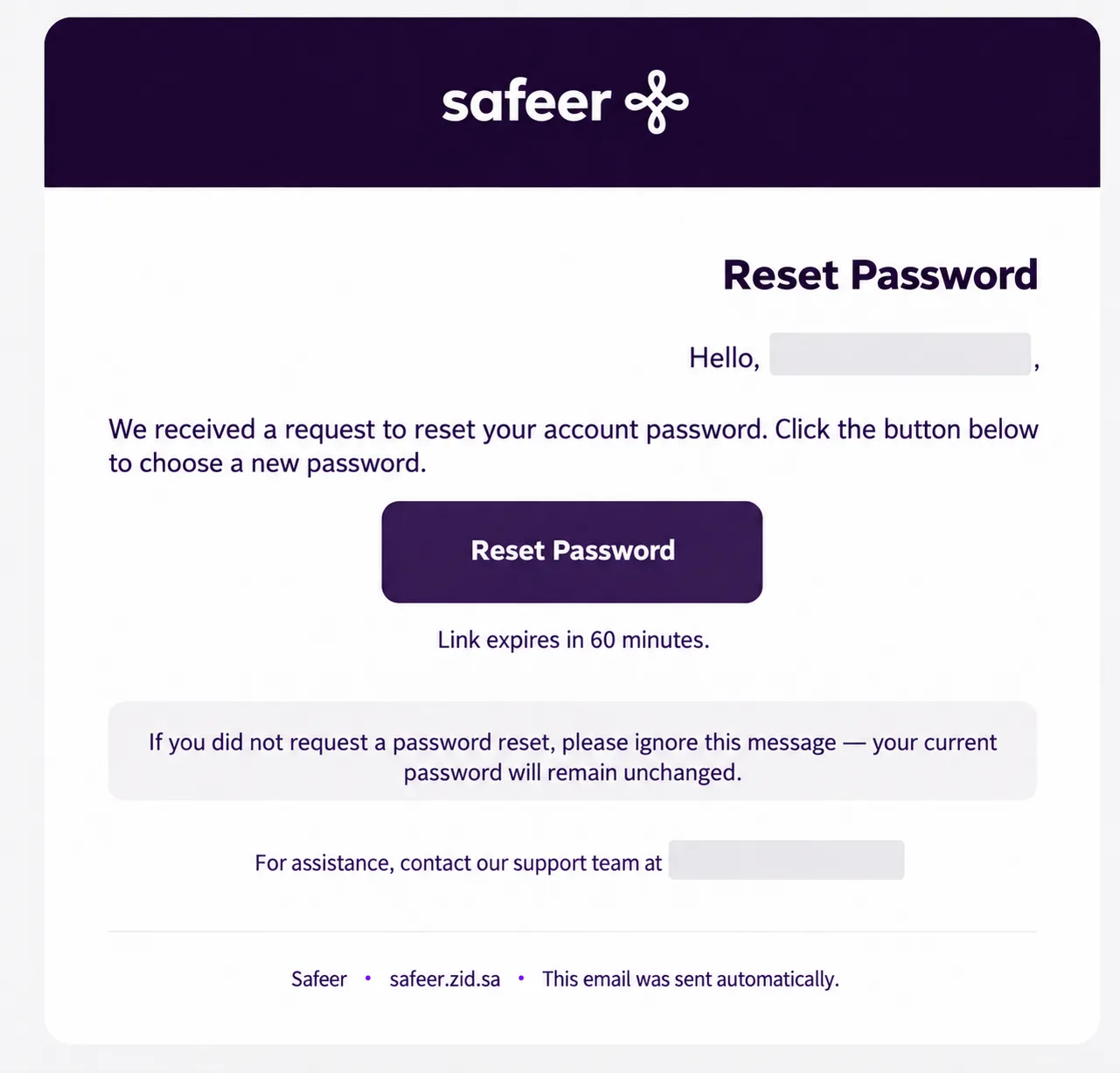
Personal details are covered. Open the email from Safeer and click Reset Password. The link expires after 60 minutes.
Personal details are covered. Enter your new password, confirm it, then click Reset Password.
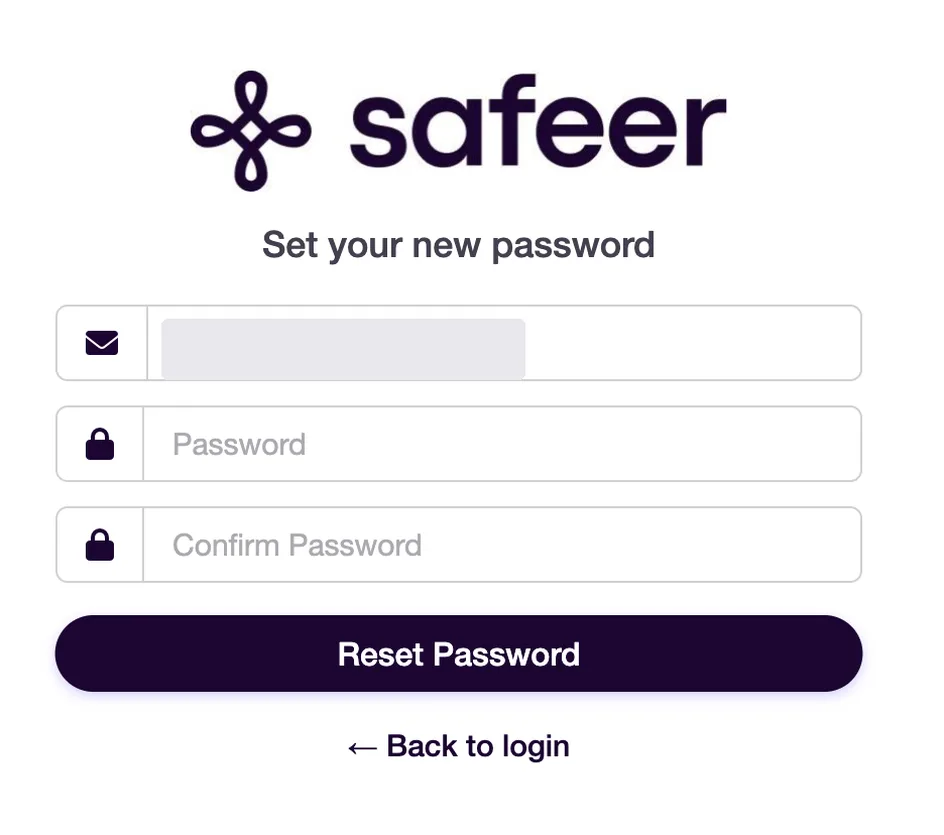
Personal details are covered. Log in with your email, account ID or national ID and your new password.
If you didn't ask to reset your password, ignore the email. Your current password stays as it is.
Related
Did this article solve your problem?
Your answer helps us see what needs improving.
Still need help?
Our customer service team is ready to help, or find quick answers in the FAQ.